How to Deposit USDT (TRC20) on MPlay: Complete Guide
Step-by-step guide to depositing USDT TRC20 on MPlay crypto casino. Learn about network fees, confirmation times, and troubleshooting tips.
USDT on the TRC20 network is the most popular deposit method at MPlay, offering near-instant confirmations and minimal fees. Here's how to deposit in just a few minutes.
Why TRC20 USDT?
TRON's TRC20 network offers significant advantages over other blockchain networks:
- Low fees: Typically $1-2 per transaction vs $5-20 on Ethereum
- Fast confirmations: 1-3 minutes vs 10-15 minutes for Bitcoin
- Stable value: USDT is pegged to USD, no volatility risk
- Wide availability: Available on all major exchanges
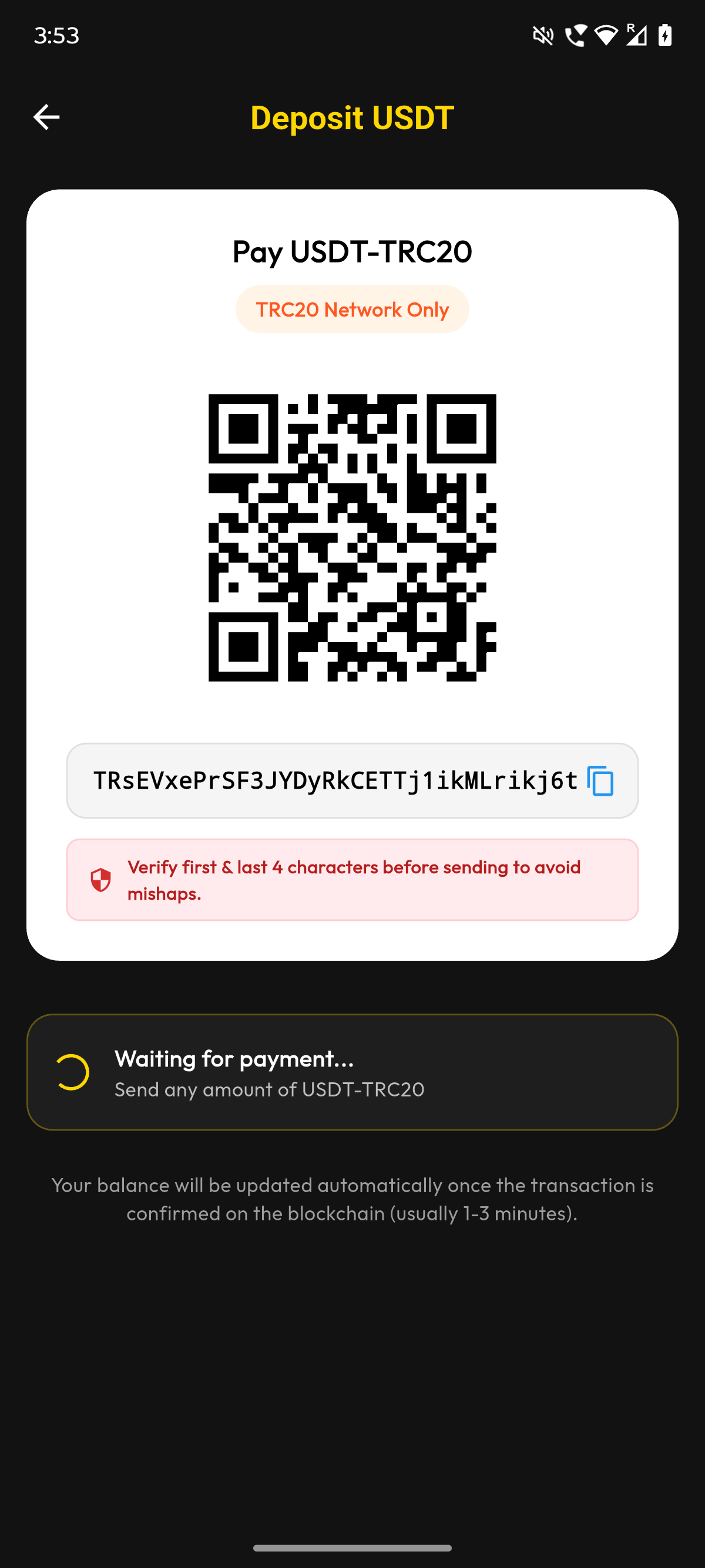
Step-by-Step Deposit Guide
Step 1: Get Your Deposit Address
- Log in to your MPlay account
- Click "Wallet" in the top navigation
- Select "Deposit"
- Choose "USDT" and select "TRC20" network
- Copy your unique deposit address
Step 2: Send from Your Wallet
- Open your exchange or wallet (Binance, OKX, etc.)
- Go to Withdraw → USDT
- Paste your MPlay deposit address
- Select "TRC20" as the network
- Enter the amount (minimum $10)
- Confirm the withdrawal
Step 3: Wait for Confirmation
TRC20 deposits typically credit to your account within 1-3 minutes after 1 network confirmation. You can track your transaction on Tronscan.
Troubleshooting
Deposit not showing?
- Check if the transaction is confirmed on Tronscan
- Verify you sent to the correct address
- Ensure you used TRC20 network (not ERC20)
- Wait up to 30 minutes during high network congestion
Sent on wrong network?
If you accidentally sent on ERC20 or another network, contact support immediately. Recovery may be possible but is not guaranteed and may incur fees.
Tips for Smooth Deposits
- Always send a small test amount first
- Double-check the network before confirming
- Keep your deposit address saved for future use
- Consider using the QR code to avoid typos
Ready to make your first deposit? Deposit USDT now and start playing!

The official MPlay team bringing you the latest insights on crypto gaming, strategy guides, and platform updates.
Ready to play?
Join thousands of players on MPlay — the fairest crypto gaming platform.
Create Free Account